

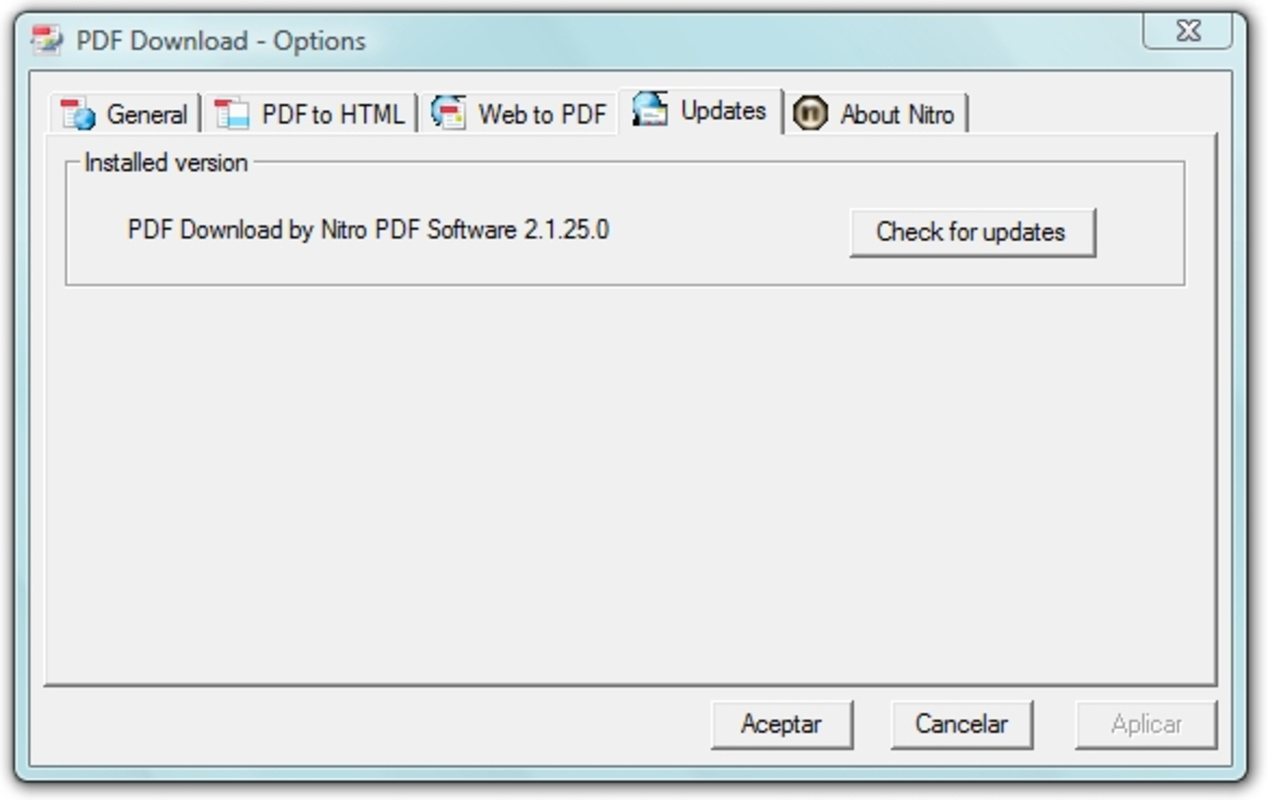


Description
Download PDF Download for IE – PDF Download, Internet Explorer, Browser Plugin, Web Page to PDF, Email PDF
Overview
The PDF Download for IE is a browser plugin designed specifically for Microsoft Internet Explorer, aiming to simplify the process of downloading and managing PDF files from the web. Its primary purpose is to enable users to save any PDF document directly to their local hard drive with minimal effort. Beyond basic downloads, the tool extends functionality by allowing users to convert entire web pages into PDF format and send them via email as PDF attachments. This makes it a practical utility for individuals and professionals who frequently archive or share online content.
The plugin targets users who rely on Internet Explorer for work or personal browsing and require a streamlined way to handle PDFs without switching between applications. Common use cases include saving research articles, official documents, or instructional guides for offline access. It also benefits those who need to distribute web-based information in a standardized, printable format. While the developer is not explicitly named in the provided details, the plugin's integration with Internet Explorer suggests it was developed for legacy browser environments, possibly by a third-party utility provider.
Within the broader context of web tools, PDF Download for IE fills a niche by offering targeted functionality in an era where many modern browsers have built-in PDF support. Its ability to convert web pages and email them as PDFs adds value for users who depend on consistent document formatting. Although the plugin is no longer actively updated, its design remains relevant for users still operating on older systems or specific enterprise environments where Internet Explorer is required.
Key Features & Functionality
- Direct PDF Download: Enables users to download any PDF file encountered during browsing directly to their local storage, eliminating the need for manual copy-paste or external tools.
- Toolbar Integration: Adds a dedicated control to the Internet Explorer toolbar, allowing one-click access to core features like saving, converting, and emailing PDFs.
- Web Page to PDF Conversion: Instantly transforms the current web page into a PDF document, preserving layout and content for archiving or sharing.
- Email PDF Sharing: Allows users to send the current page as a PDF via email, streamlining the process of sharing information with colleagues or friends.
- Customizable PDF Output: Offers adjustable settings for the final PDF format, enabling users to tailor output quality, page size, and layout to meet specific needs.
For example, a researcher can use the tool to save a lengthy article as a PDF for offline reading, while a business user might convert a project report page into a PDF and email it to a team member. The customizable options ensure that the output fits professional standards, whether for presentations or documentation. These features collectively enhance productivity by reducing time spent on repetitive tasks and ensuring consistent file formats.
Interface, UX & Performance
The user interface of PDF Download for IE is designed to integrate seamlessly with the Microsoft Internet Explorer environment. It leverages the browser’s existing toolbar space, adding a compact control that remains unobtrusive during normal browsing. The layout prioritizes functionality over visual complexity, making it accessible to users of varying technical skill levels.
Navigating the plugin’s features is straightforward, with actions such as saving a PDF, converting a page, or emailing content accessible through a single click. The workflow remains consistent across tasks, reducing the learning curve. Although the developer did not list formal performance metrics, the plugin’s lightweight design suggests it operates efficiently without significantly impacting browser speed or memory usage.
Stability is expected to be reliable within its intended environment, given its focused scope. However, as Internet Explorer is no longer supported by Microsoft, users may encounter compatibility issues on newer operating systems. Responsiveness is likely optimized for the browser’s native rendering engine, ensuring smooth interaction during downloads and conversions. The overall experience reflects a tool built for utility rather than visual polish, prioritizing function over form.
Platform Compatibility & Technical Requirements
PDF Download for IE is designed exclusively for the Microsoft Internet Explorer browser. The plugin is compatible with the operating systems that support Internet Explorer, including older versions of Windows such as Windows 7 and Windows 8. Specific minimum OS requirements were not listed, and the developer did not provide detailed technical specifications regarding system memory, processor, or storage needs.
The file size of the plugin is not disclosed in the provided information. However, given its nature as a browser extension, it is expected to be relatively small in size, typically under 10 MB. The software version and release date are known: version 2008-12-23. Users should be aware that Internet Explorer has been officially retired, and support for extensions like this one may be limited on modern systems.
Pros and Cons
Pros
- Efficiently downloads PDF files directly from web pages
- Converts entire web pages into PDF format for archiving
- Offers email integration for quick sharing of web content
- Customizable PDF output settings for tailored results
- Simple toolbar integration for easy access during browsing
Cons
- Only compatible with Internet Explorer, which is no longer supported
- Limited to older Windows operating systems
- No official updates or security patches since release
- Developer information not provided
- Not available for modern browsers or mobile platforms
FAQ
Is PDF Download for IE safe to install?
The plugin was released in 2008 and is designed for Internet Explorer. While it was functional at the time of release, its long-term safety cannot be guaranteed due to the absence of updates and support. Users should exercise caution when installing older browser extensions.
Can I use this plugin on Windows 10 or Windows 11?
Internet Explorer is no longer available by default on Windows 10 and Windows 11. While limited access may be possible through legacy features, the plugin may not function properly or may be incompatible with newer system configurations.
Is the plugin free to download and use?
Based on the provided information, no price was listed. The plugin appears to be available at no cost, as is typical for utility extensions of its type.
Does the plugin work on mobile devices?
No, the plugin is designed specifically for Internet Explorer on desktop systems. It is not compatible with mobile browsers or operating systems such as Android or iOS.
How do I update the plugin?
The plugin was released in 2008 and has not been updated since. As Internet Explorer is no longer supported, there are no official update channels or mechanisms available for this extension.
Final Thoughts + CTA
PDF Download for IE remains a functional tool for users still operating within legacy environments that depend on Internet Explorer. Its ability to streamline PDF downloads, convert web pages, and enable email sharing makes it a valuable utility for archiving and distributing online content. While its compatibility is limited by modern standards, it continues to serve a specific niche for users who require straightforward, no-frills PDF handling in an outdated browser ecosystem.
For those who rely on older systems or specific enterprise setups, the plugin offers a practical solution. However, users on current platforms are strongly advised to consider modern alternatives available in supported browsers. The tool’s simplicity and focused functionality are its greatest strengths, even as it reflects the technological landscape of over a decade ago.
Download PDF Download for IE now
Guides & Tutorials for PDF Download for IE
How to install PDF Download for IE
- Click the Preview / Download button above.
- Once redirected, accept the terms and click Install.
- Wait for the PDF Download for IE download to finish on your device.
How to use PDF Download for IE
This software is primarily used for its core features described above. Open the app after installation to explore its capabilities.
User Reviews for PDF Download for IE 0
No reviews found


